Find the clues behind slow speeds, connection drops and websites that will not load. WiFi Doctor brings deep network diagnosis, speedtest, channel analysis and live monitoring together in one Android app.
Illustrative app previews in English. Measurements shown are examples.
Go beyond the signal bars
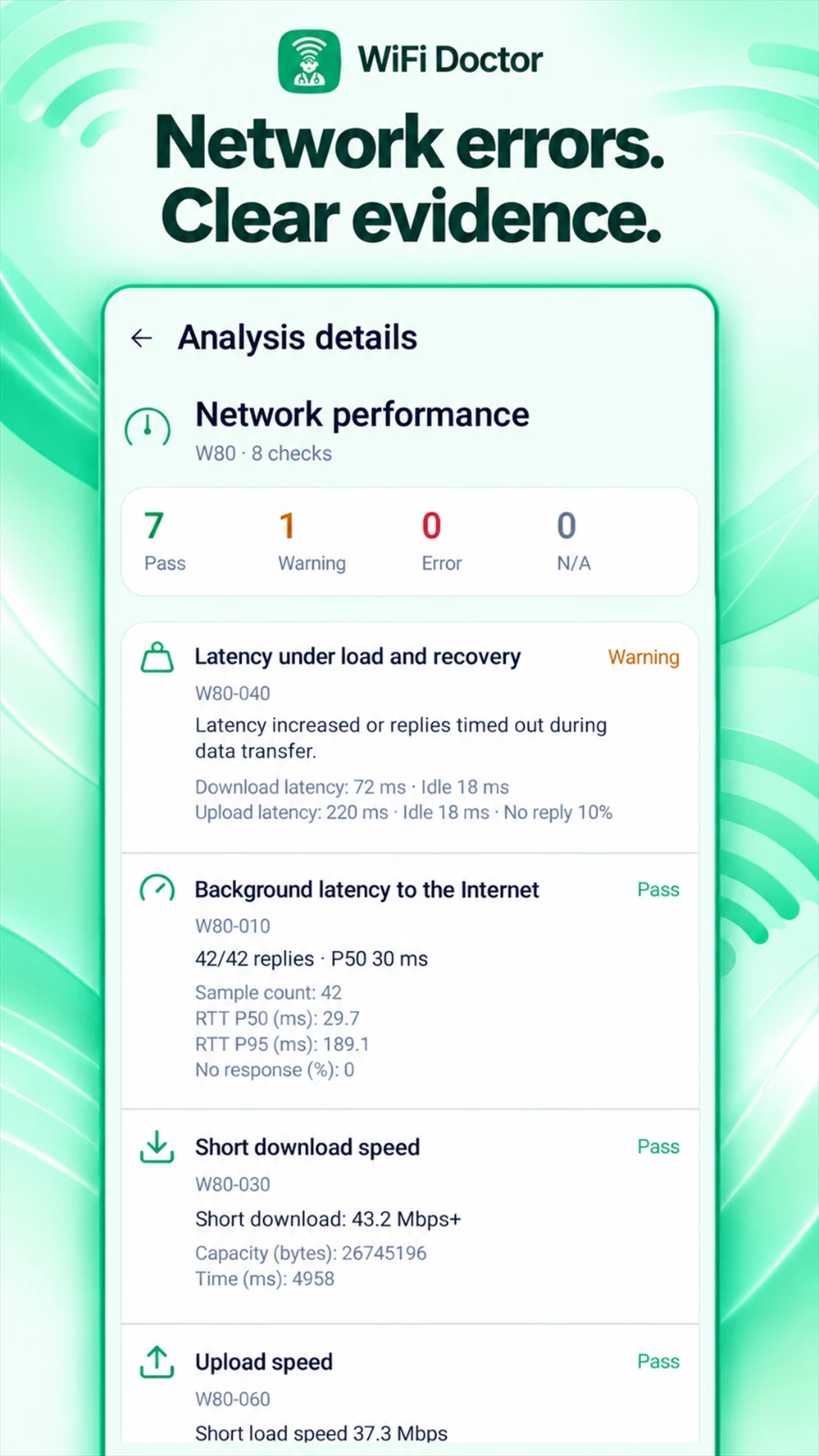
83 checks. One connected picture.
A Wi-Fi problem can start in your phone, the wireless link, your local network or the path to the internet. Follow nine connected stages to understand where the evidence points.
Investigate signal, connection, DNS and internet access together.
See findings, supporting measurements and suggested next steps.
Keep unavailable data separate from a confirmed fault.
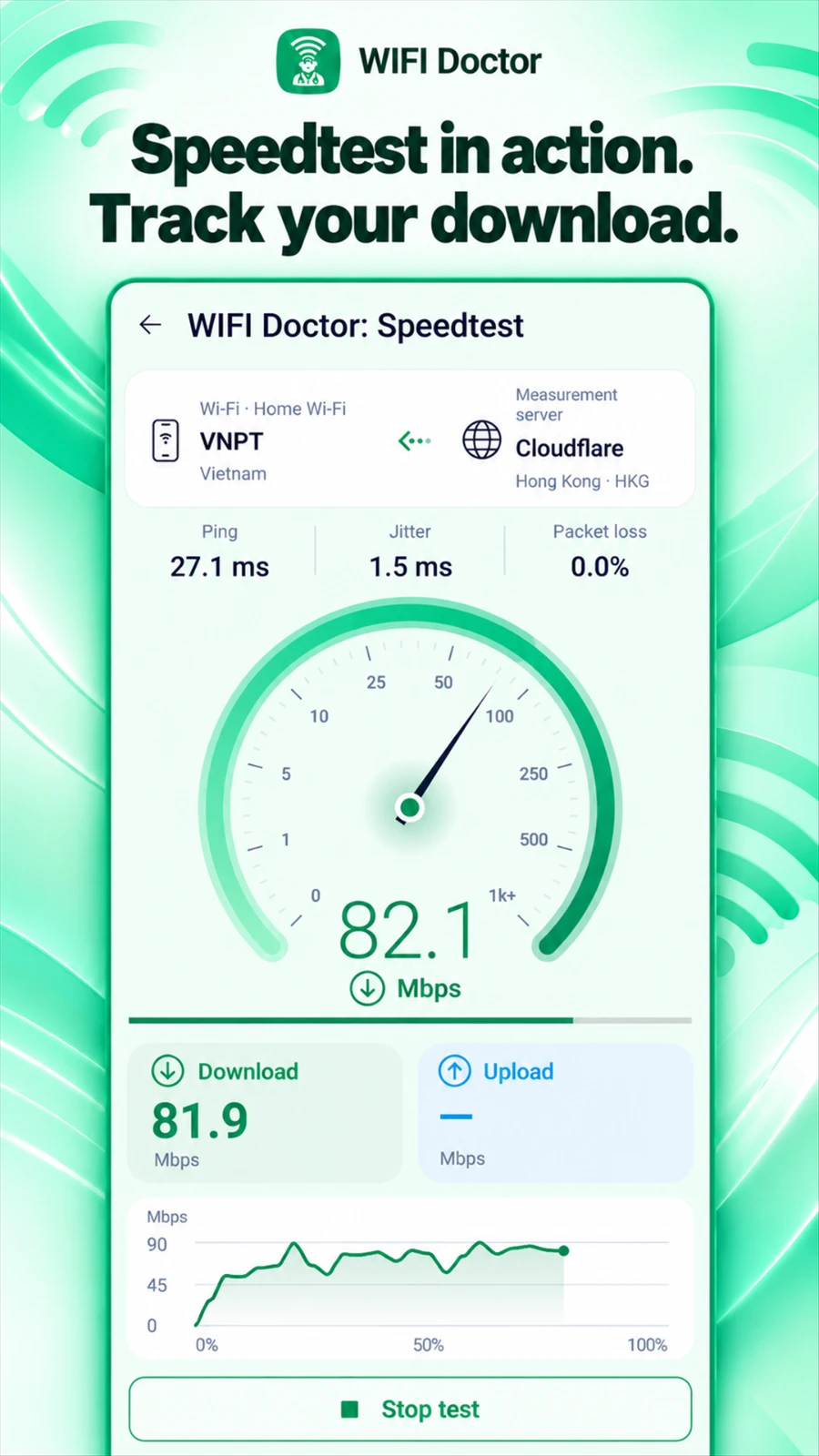
Measure download and upload throughput alongside ping, jitter and packet loss. Compare idle latency with latency during transfers to investigate lag, buffering and choppy calls.
Download
Upload
Ping
Jitter
Packet loss
Loaded latency
Catch the problems that come and go.
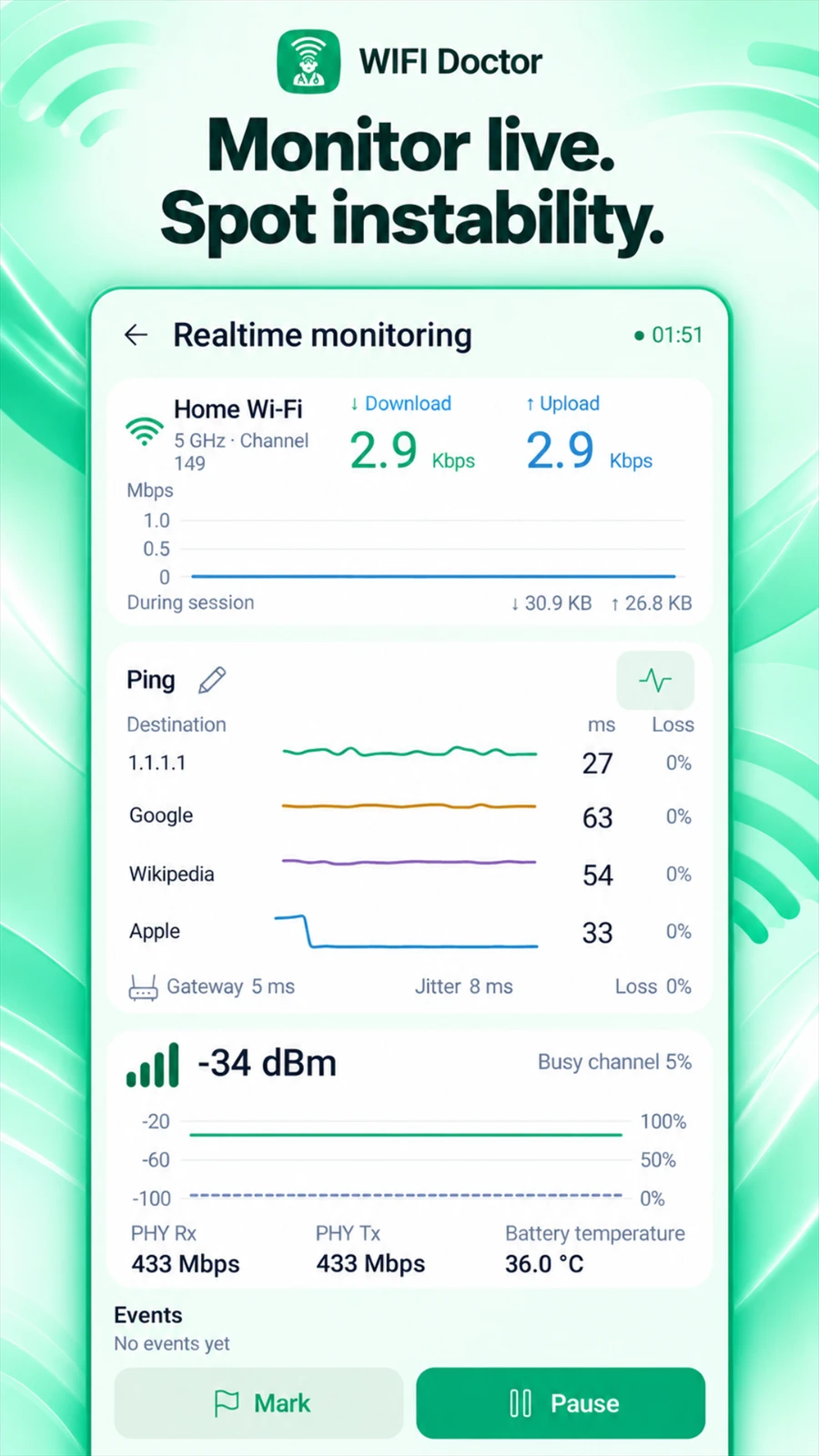
Follow live device traffic, Wi-Fi signal and response times on readable charts. Watch for interruptions, mark important moments and review up to 30 minutes of chart history.
Live traffic & signal
Multiple ping targets
Connection events & session history
Give your wireless signal some room
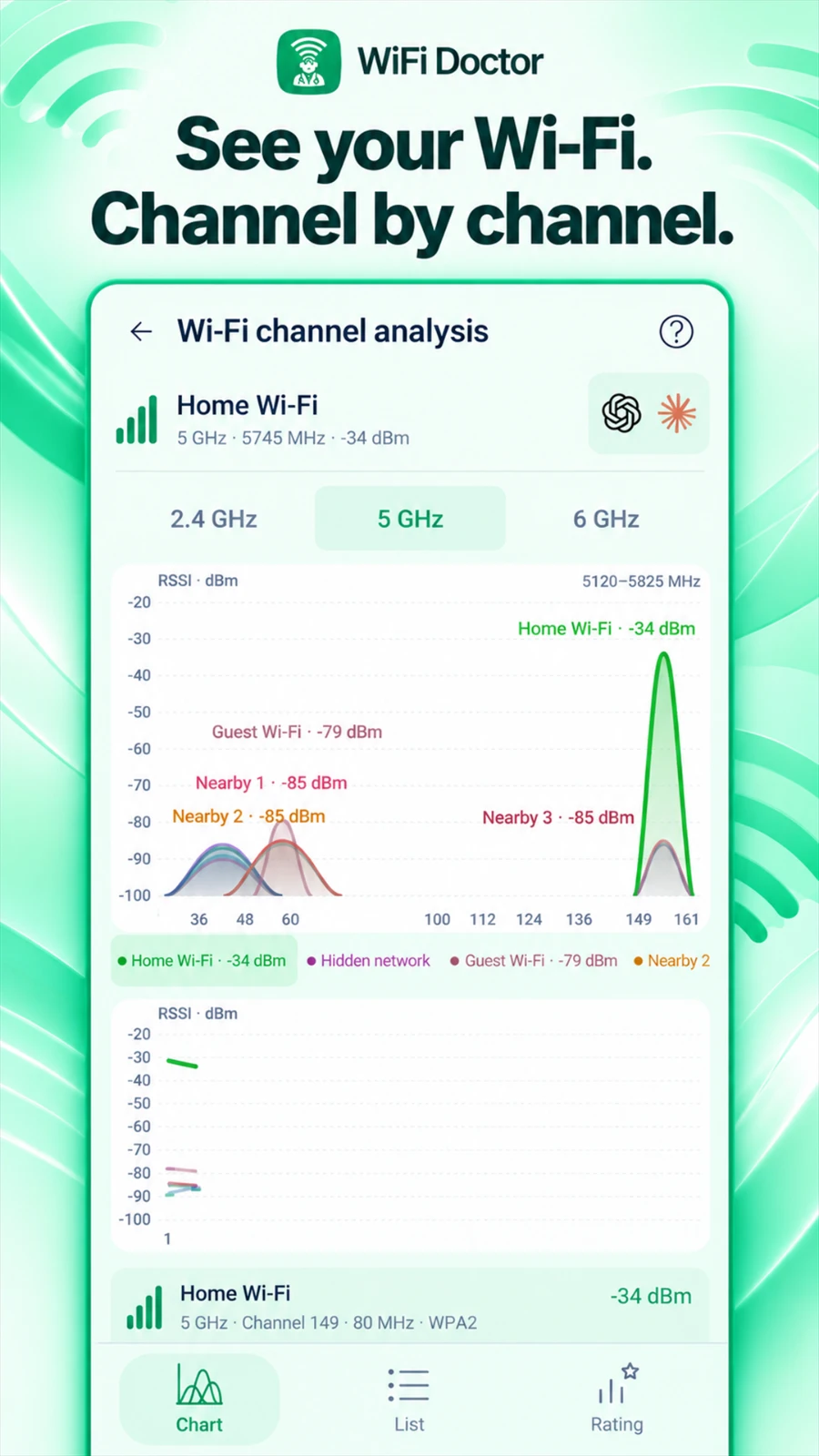
See the airwaves. Find a better channel.
Explore nearby networks on channel graphs, follow signal history and compare overlap. Channel ratings and recommendations help you make informed choices about placement, band and channel.
Channel overlap and channel width
RSSI and signal history
2.4, 5 and 6 GHz views where supported
2.4GHz5GHz6GHz
Look closer at both ends of a connection
From the website to the devices around you.
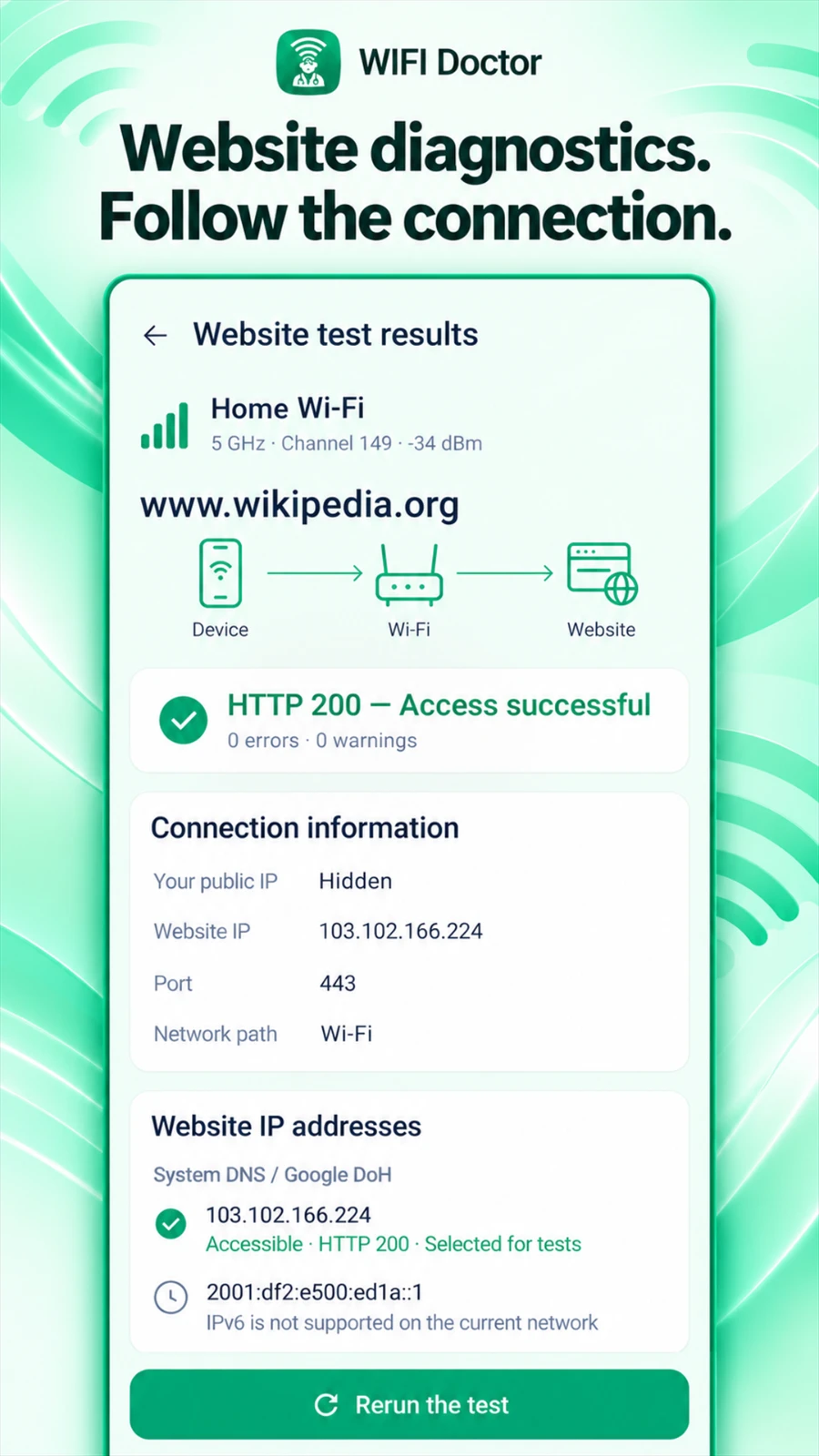
A website will not load. Find where it breaks.
Trace the connection through DNS, IPv4/IPv6, TCP, TLS and HTTP. Inspect redirects and certificates, compare DNS answers, and examine the route with traceroute where available.
DNS
IP
TCP
TLS
HTTP
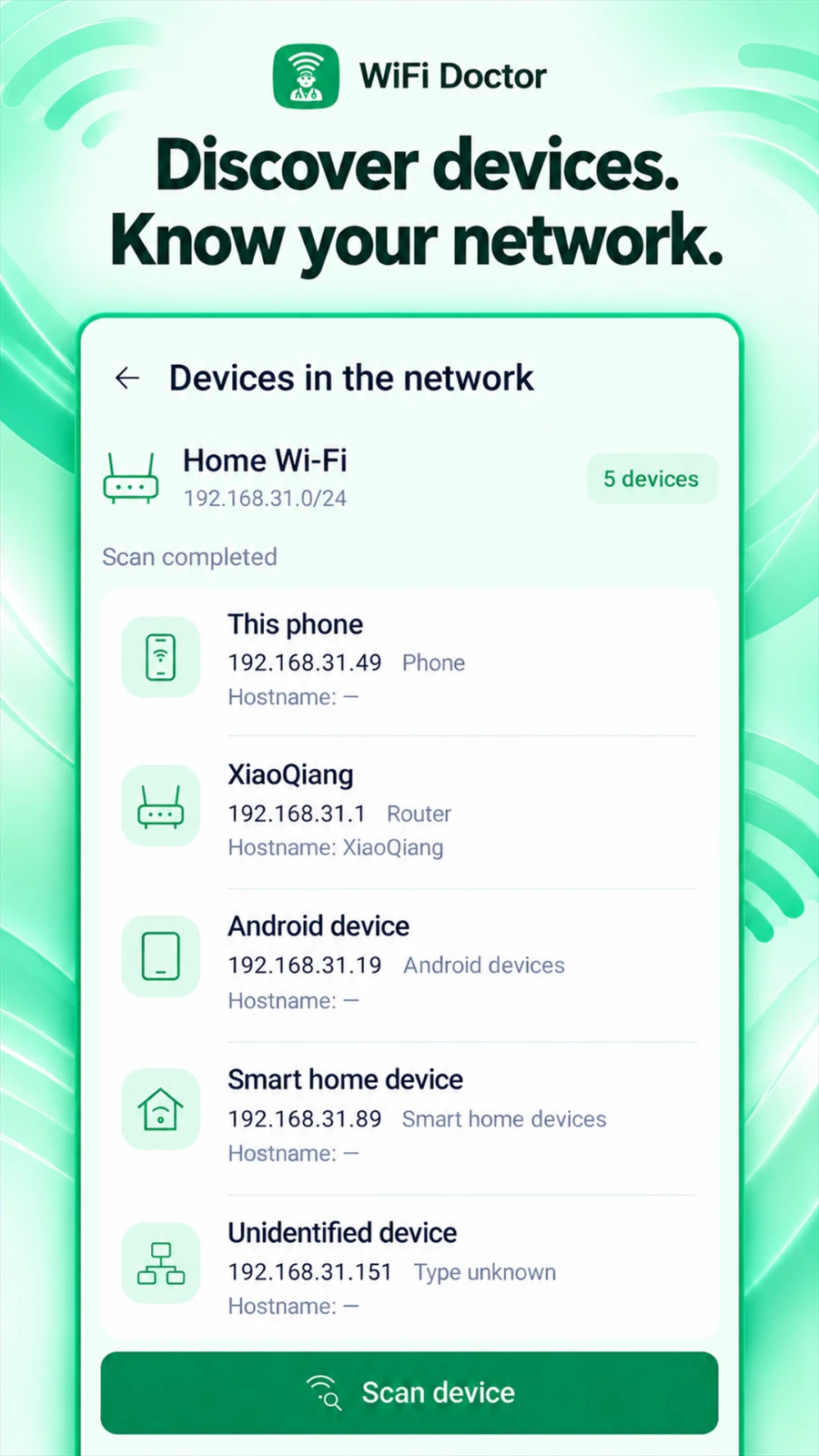
Get to know your local network.
Discover responding devices on your LAN and inspect available IP addresses, names, device types and advertised services. Make familiar computers, printers, TVs and smart devices easier to recognize.
Device discovery
Names & addresses
Advertised services
Useful in the moments that matter
The everyday fixes deserve good tools, too.
Quick Check
Use eight focused checks to review Wi-Fi, IP setup, network sign-in, DNS, Internet access and stability when you need a quick connection check.
Wi-Fi connection investigation
Having trouble joining a network? Inspect the connection attempt and available system evidence to distinguish connection failures from later internet-access problems.
History & technical reports
Revisit saved diagnoses and Speedtest results, inspect measurements and keep useful evidence for troubleshooting or a conversation with technical support.
Bring the evidence into the conversation
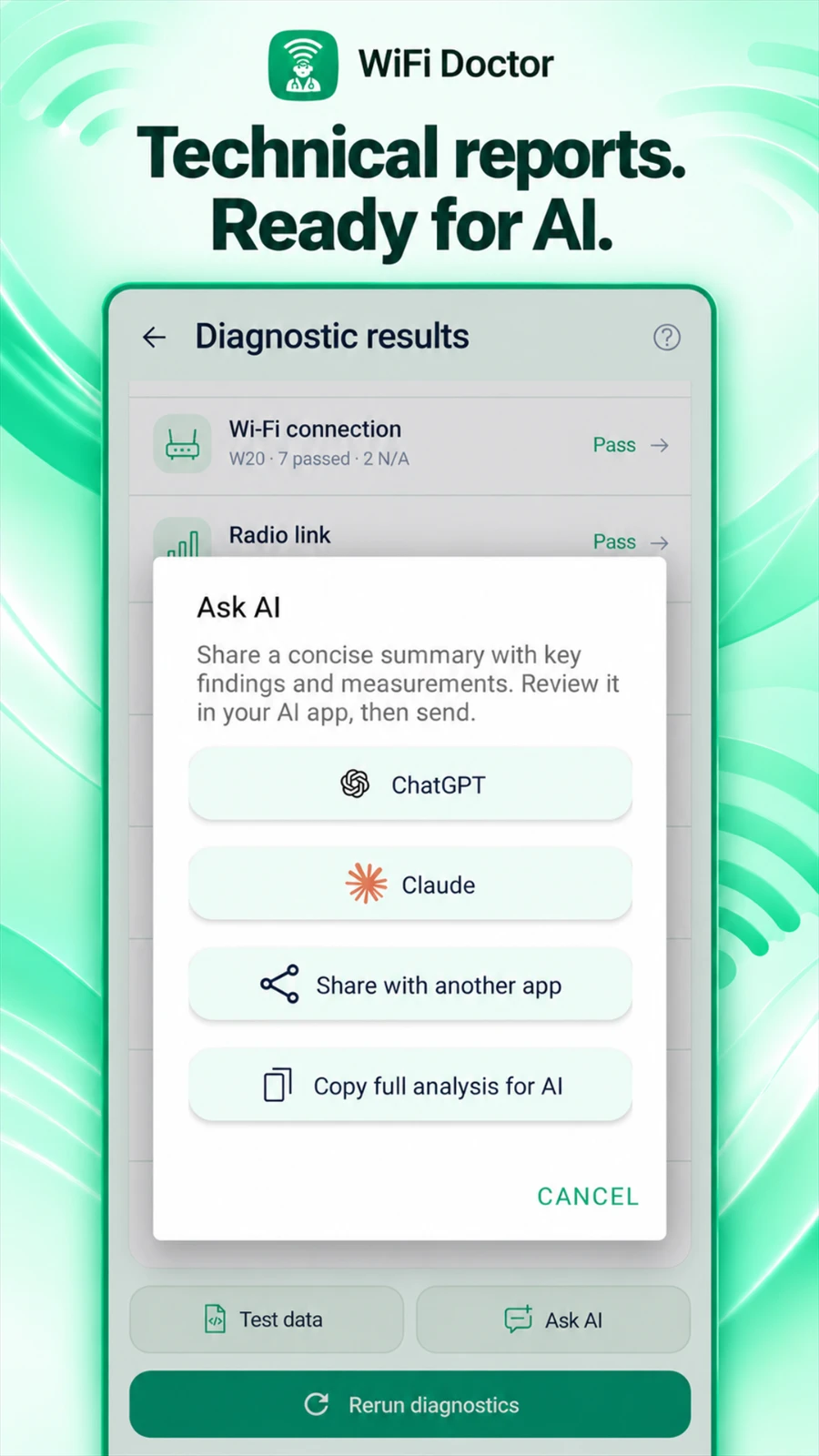
Better evidence. Better AI conversations.
Give ChatGPT, Claude or another AI tool the diagnostic context behind your question. Export a report, review what you share, and ask about possible causes or useful next steps.
ChatGPTClaude
1Copy diagnostic data
2Share with your chosen AI
3Review the evidence together
Sharing is your choice. Review the report before sending it. Analysis happens in the AI service you choose and follows that service’s terms and privacy policy.
A companion to every report
Know what every diagnostic code means.
Explore all 83 checks, what they measure and how to interpret their values. Browse 132 sample results generated by the app’s diagnostic engine from synthetic inputs, with full JSON for deeper analysis.
WiFi Doctor helps identify problems and opportunities to improve your connection. It provides measurements and guidance; actual improvements depend on the cause, router, device, and changes you make.
Does every diagnosis run all 83 checks?
The catalog includes 83 checks. Some depend on hardware, permissions, available evidence, or an optional measurement. A check that cannot run is reported as unavailable or not applicable, rather than a confirmed fault.
Is this a WiFi analyzer or a speedtest app?
Both are part of a wider Network Diagnosis workflow. WiFi Doctor combines Wi-Fi analysis and performance measurements with checks of device state, local connectivity, DNS, and internet access.
Is AI analysis built into the app?
You can export diagnostic data and share it with ChatGPT, Claude, or another tool you choose. The external AI service interprets the report; WiFi Doctor provides the measurement evidence.
Available checks, bands and measurements depend on your device, Android version, network and permissions. Recommendations guide your next steps; they do not guarantee a speed increase.
Your cookie choices
Choose whether ZoroSoft may use Google Analytics cookies to understand visits and improve this website. You can use the whole website with analytics turned off.
We remember your choice on this browser for future visits. Change it anytime in Cookie settings. Privacy & cookie details